Monday, July 2, 2012

OBIEE-creating Dynamic repository variables
OBIEE - Creating and using dynamic repository variable
We will create and use a dynamic repository variable in the dashboard. The aim is to show current time in the dashboard.We use the variable in two places. First is in the title of a report

The second is in the narrative text.

Steps:
1. Create a dynamic repository variable that obtains the latest time. we will need to write an initialization block to get initialize and update this variable. To create the variable
a. In the Administration tool. click on Manage-> variables.
b. Click on Action-> New -> Repository -> Variable.
c. Give 'Date' as the name of the variable. Select the radio button that says 'Dynamic' . The Initialization block variable drop down will be enabled.
d. In the initialization block variable click on New. A window for creating a new initialization block opens.
e. Write 'CurrentTime' as the name of the block. refresh interval one minute. start on - leave default.
f. click on edit datasource and enter the following query (MySql)
SELECT DATE_FORMAT(now(),'%a %D %b %Y %H:%i %p');
g. click on browse button near the 'Connection pool' and select the foodmart connection pool.

h. click on 'Test'.Results should show the current time.
i. click on OK.
j. in the initialization dialog. click on edit data target. Select the Date variable and click on OK.
h. close the initialization dialog by clicking OK.
i. close the dynamic repository dialog by clicking OK.
We have now created a repository variable that obtains the current time from the database every minute.
Check in the changes.
2. Open the Dashboard Page.
3. To add this variable to a title (e.g "Units Ordered"). Click on the rename button on the title and change the title to
Units Ordered -@{biServer.variables['Date']}
4. To add the variable to a narrative text. add the text dashboard object to the dashboard. click on properties of the text object and write
The current time is [b]@{biServer.variables['Date']}[/b]

usage tracking in obiee
if want learn usage tracking in obiee go through the below link get full command .
http://www.oracle.com/webfolder/technetwork/tutorials/obe/fmw/bi/biee/r1013/usage_tracking/usage_tracking.htm#t1s1
http://www.oracle.com/webfolder/technetwork/tutorials/obe/fmw/bi/biee/r1013/usage_tracking/usage_tracking.htm#t1s1
Tuesday, March 13, 2012
OBIEE SOME OF THE IMPOTENT BLOGS
http://obiee101.blogspot.com/search/label/PIVOT
http://www.cintra.com/blog/?p=139
http://varanasisaichand.blogspot.com/2010/02/adding-footer-view-to-reports-in.html
http://rnm1978.wordpress.com/2009/08/25/multiple-rpds-on-one-server-part-2-presentation-services/
http://debaatobiee.wordpress.com/category/obiee/obiee-variable/
http://www.rockportsoft.com/html/products/oracle_bi_ee.html
http://obiee101.blogspot.com/search/label/VARIABLES
http://gerardnico.com/wiki/dat/obiee/presentation_variable
http://gerardnico.com/wiki/dat/obiee/variable
http://shivabizint.wordpress.com/2008/10/02/oracle-bi-ee-variables-overview/
http://bintelligencegroup.wordpress.com/2010/09/23/external-table-authentication/
http://108obiee.blogspot.in/2009/03/external-table-authentication-and-row.html
http://108obiee.blogspot.in/2009/03/external-table-authentication-and-row.html
http://tipsonobiee.blogspot.in/2009_07_12_archive.html
Monday, March 12, 2012
what is the use of Bins in obiee


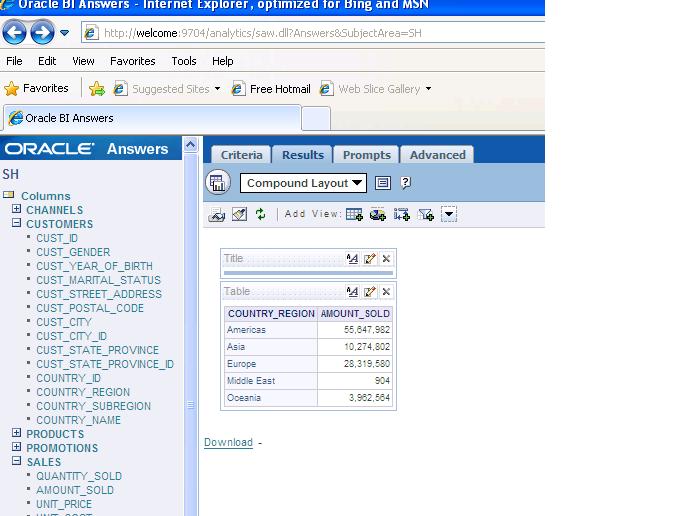
Here clearly explained how to work with OBIEE bins with Examples
click on criteria tab and go and click on edit formula
Subscribe to:
Posts (Atom)